Shop Profile
Settings › Shop Settings holds what customers see about your shop.
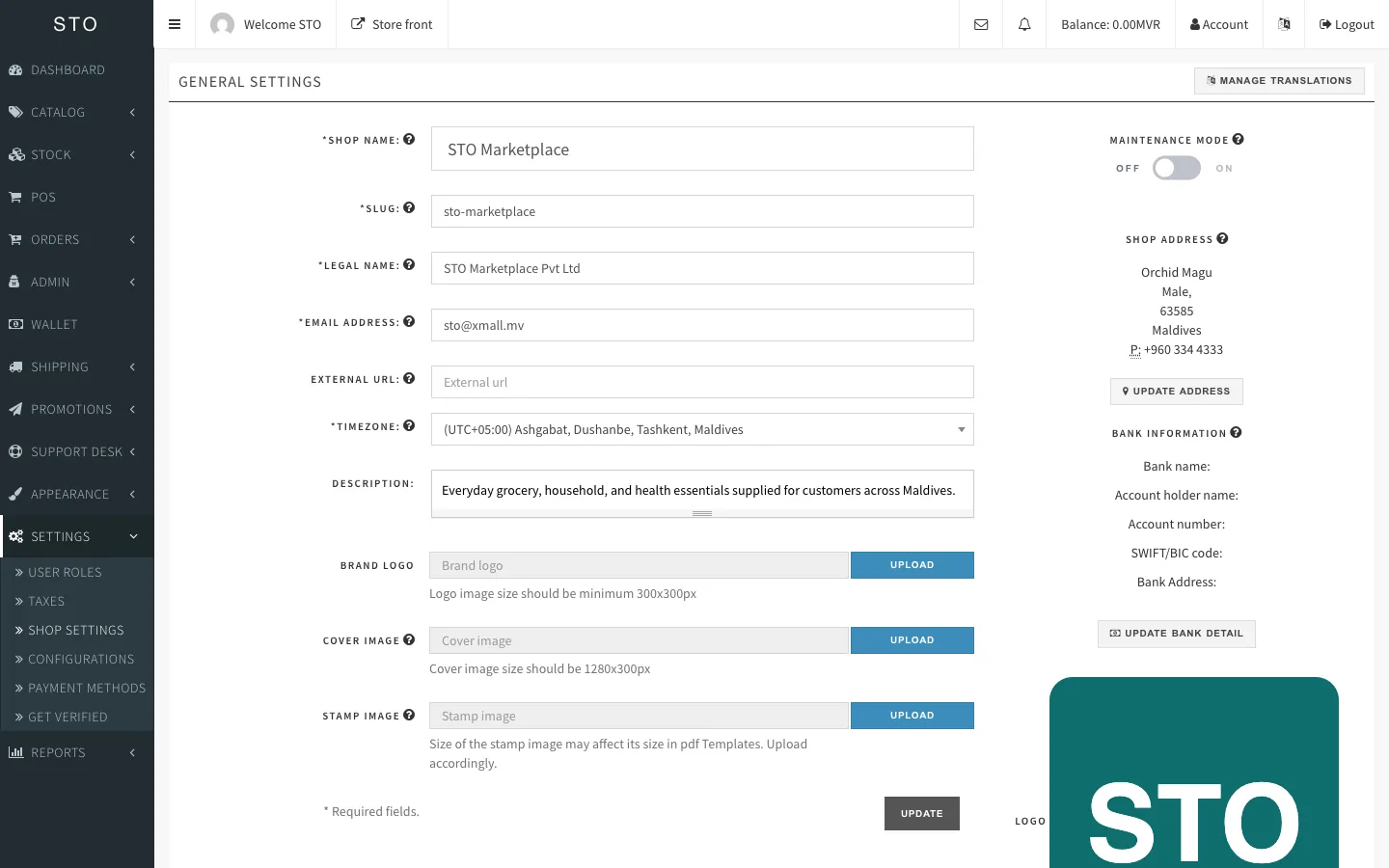
| Field | What to enter |
|---|---|
| Shop name | The display name of your shop. |
| Slug | Your shop's web address. Avoid changing it once you start selling. |
| Legal name | Your registered business name, used on invoices. |
| Email address | Order, stock, ticket and dispute notifications are sent here. |
| Description | A short introduction shown on your shop page. |
| Brand logo | At least 300×300 px. |
| Cover image | 1280×300 px, shown at the top of your shop page. |
| Stamp image | Printed on invoices. |
| Maintenance mode | Takes your shop and all its listings offline until you switch it off. |
| Shop address and bank information | Your pickup address and payout account. |