Get Verified
Open Settings › Get Verified and upload your documents. Verified shops show a verified badge, which builds customer trust.
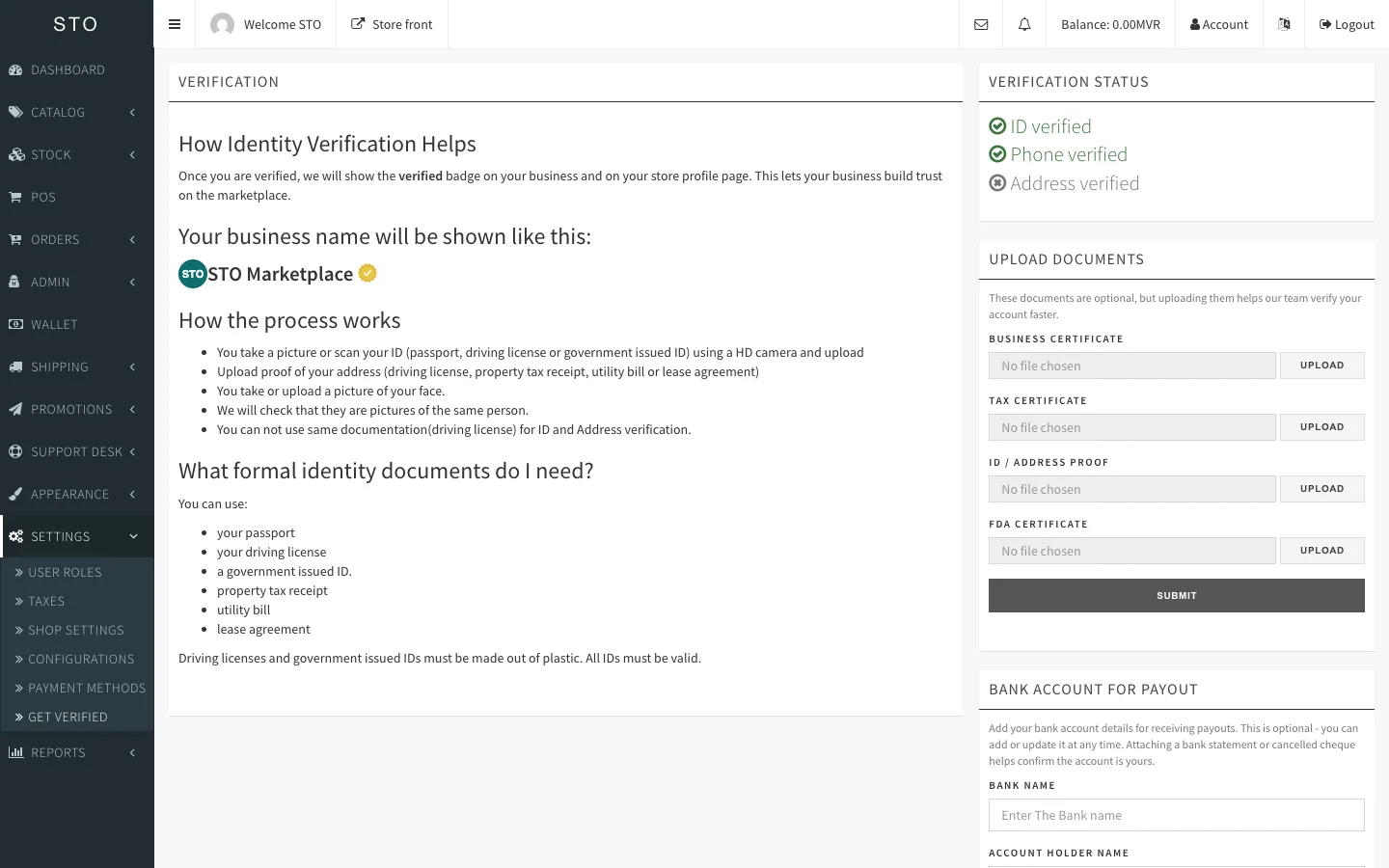
| Field | What to enter |
|---|---|
| Business certificate | Your business registration certificate. |
| Tax certificate | Your TIN or GST registration. |
| ID / address proof | Passport, driving licence or national ID, and a separate proof of address (utility bill, lease agreement). |
| FDA certificate | Required if you sell food, health or similar regulated products. |
| Bank details | Bank name, account holder name, account number and type, SWIFT/BIC, IBAN and bank address. Payouts are sent here. |
| Bank statement or cancelled cheque | Proves the bank account belongs to your business. |
Select Submit. XMALL reviews your documents and approves or rejects the shop. If it is rejected, you see the reason; correct the documents and submit again.
Bank details must match
The account holder name must match your business or ID. Payouts cannot be sent to a third-party account.