Processing an Order
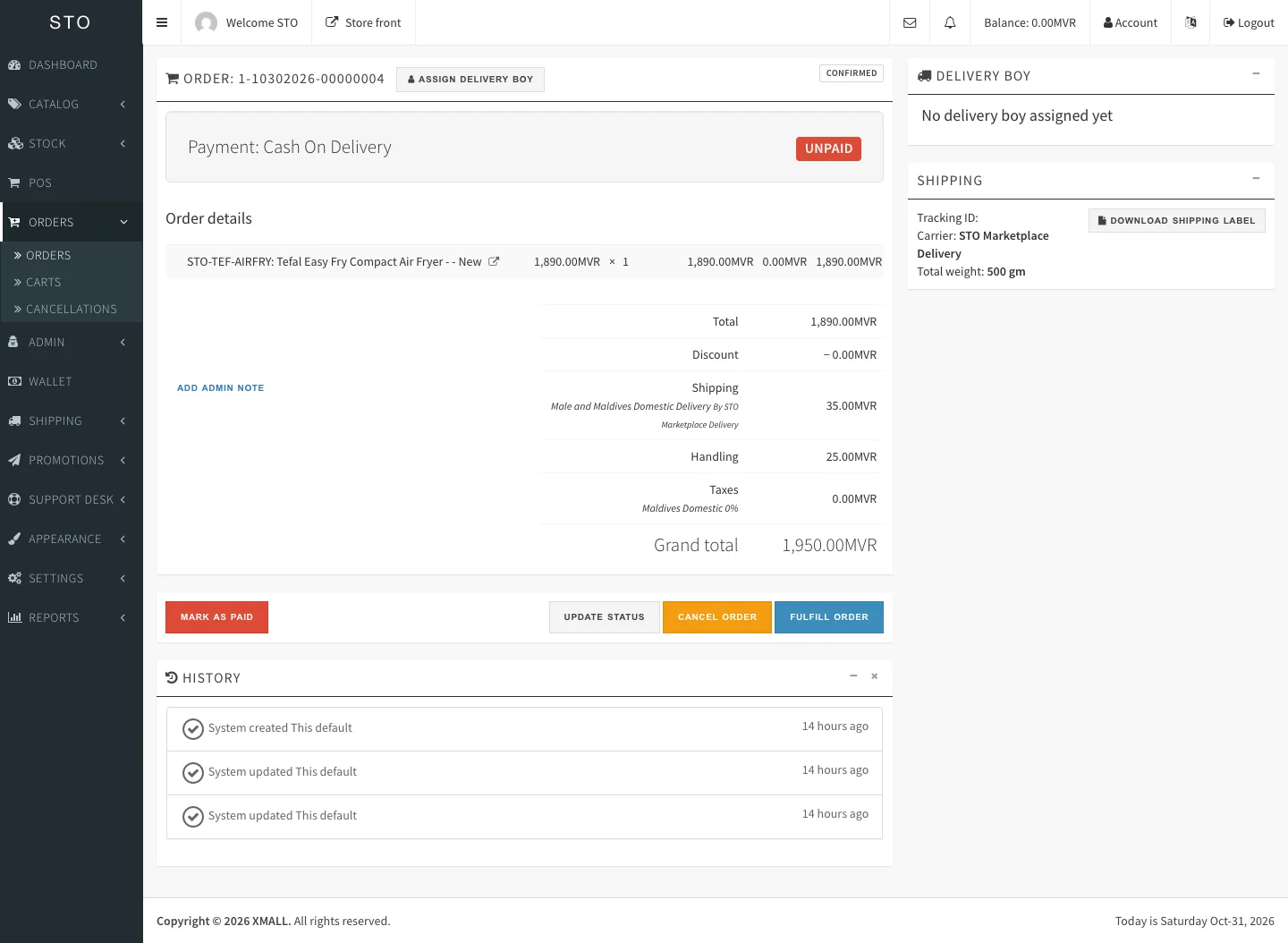
- Open the new order and check the items, address and payment.
- For prepaid orders, make sure the payment status is Paid. For bank transfers, mark it paid once the money arrives. Cash-on-delivery orders stay unpaid until the rider collects.
- Pack the items and print the invoice and shipping label.
- Either Assign Delivery Boy to one of your riders, or Fulfill with a carrier and tracking number.
- The rider updates each step in the app until the order is Delivered.
| Field | What to enter |
|---|---|
| On the way to pickup | The rider is coming to collect. |
| Picked up | The rider has the parcel; the customer is told it is on its way. |
| Reached | The rider is at the customer's address. |
| Cash collected | Cash-on-delivery only; the order becomes paid. |
| Delivered | The customer has the order. |